Who owns this spend?
Explore AWS charges and billing tags. Allocate costs to teams and keep unallocated spending visible.
Explore cost allocationFinOps for AWS teams
See what drives your bill, give costs an owner, and turn the next cloud decision into a shared plan.
Built for engineering. Shared with finance.
Read-only access. Your team makes the changes.
Access & security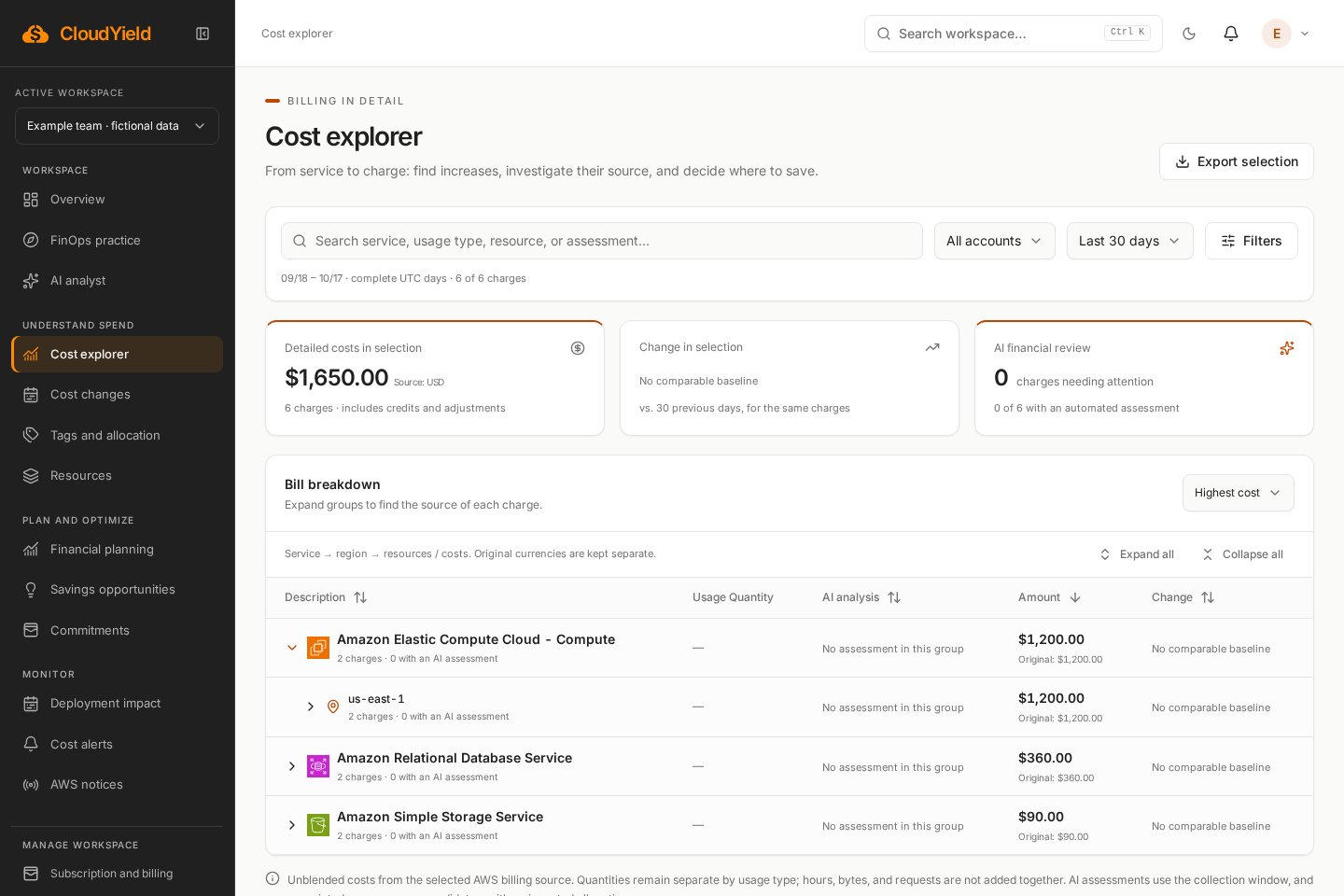
Services, regions and billing tags in one investigation.
FROM A COST QUESTION TO A RECORDED DECISION
Explore AWS charges and billing tags. Allocate costs to teams and keep unallocated spending visible.
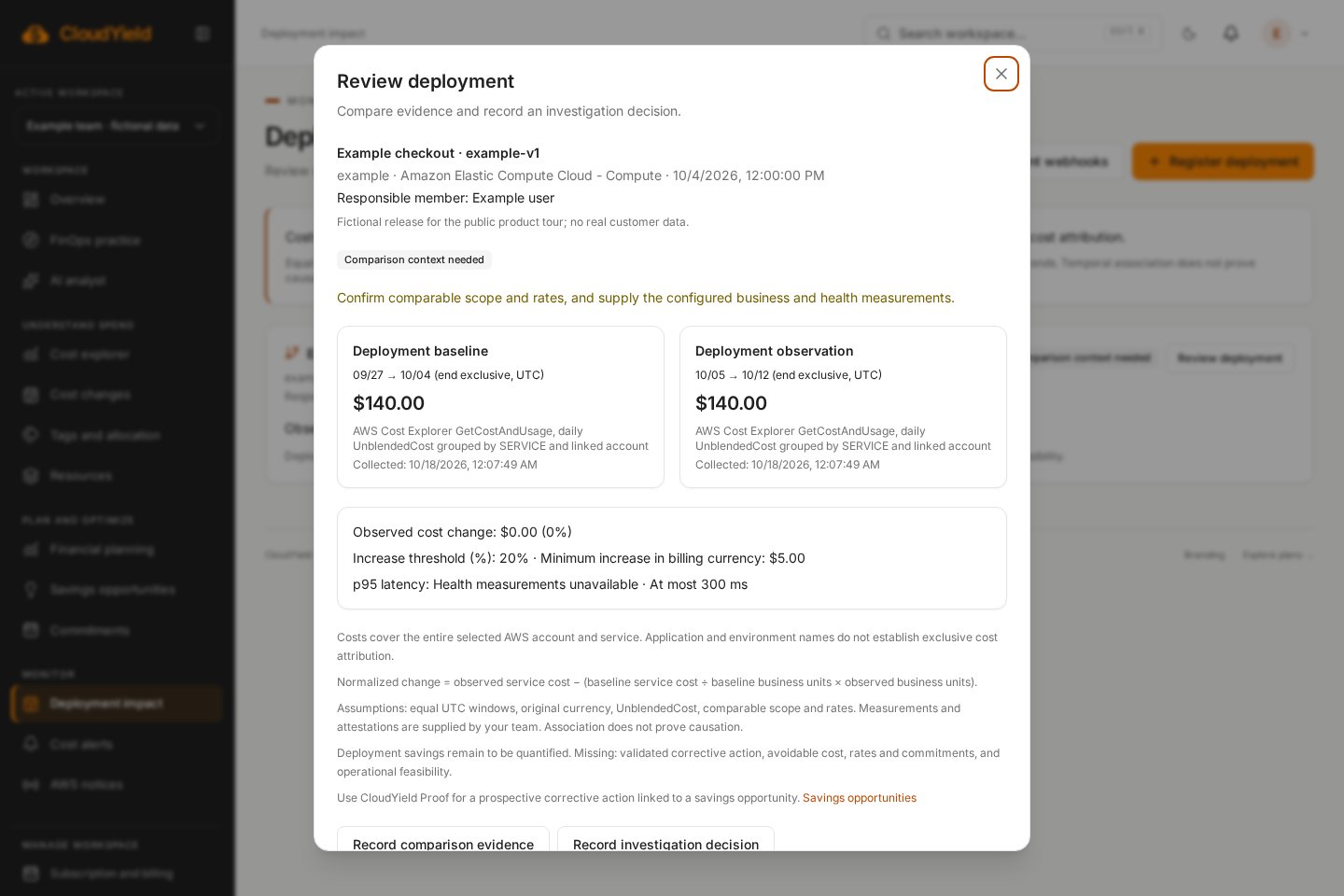
Explore cost allocationCompare service costs before and after a release, assign an owner, and add business volume and operational health.
Explore deployment cost reviewsRecord a baseline before acting. Review observed costs, comparable demand and operational health with CloudYield Proof.
Explore savings verificationINSIDE THE WORKFLOW
See how the same evidence connects a charge, its owner and the next decision.
COST VISIBILITY & OWNERSHIP
Turn billing tags into a shared view of ownership, budgets and costs that still need allocation.
DEPLOYMENT COST REVIEWS
A release changed. The bill changed. Give your team a structured way to investigate both.
START WITH YOUR DATA. KEEP YOUR TEAM IN CONTROL.
Choose permissions and billing coverage. Review collected data before drawing conclusions.
Follow services, regions and charges. See calculation sources, assumptions and missing data.
Assign responsibility and review outcomes. CloudYield does not change your AWS infrastructure.
CloudYield Proof
CloudYield Proof keeps a prospective baseline, a change record and observed results in the same review.
Choose a billed AWS service and a completed baseline window. Record business volume, operational health limits and the intended change.
After the change, use complete billing evidence for an equally sized period and supply the observed business and health measurements.
Compare baseline cost ÷ baseline volume × observed volume with observed cost. Review currency, rates, scope and operational health before accepting the result.
Why CloudYield?
AWS tools help explain the bill. CloudYield adds a shared workflow for ownership, deployment reviews and evidence of what followed.
ONE WORKSPACE. SHARED RESPONSIBILITY.
Give each conversation an owner, a measure and the evidence to move forward.
Agree on allocation, budget windows, currencies, and the evidence used to verify results.
Validate utilization, dependencies, performance, and the technical feasibility of each change.
Supply the business metric and decide what level of spend supports the desired outcome.
Choose your collection permissions, manage workspace roles and revoke AWS access when needed. Infrastructure changes stay with your team.
Review AWS access and data securityCore financial calculations work without AI. Optional AI uses relevant workspace evidence; generated analyses and reports remain in English.
Understand AI and data handlingA PLAN FOR YOUR NEXT STEP
Compare included capabilities and account limits. AI usage is tracked separately.
Review availability before subscribing.
$19 /month
For teams establishing visibility and cost ownership.
Up to $10,000/month in AWS spend
Up to 3 AWS accounts
Monthly AI credits included
The essentials for better decisions:
Review availability before subscribing.
Contact sales
For organizations defining a shared FinOps operating model.
Over $10,000/month in AWS spend
Custom account limits
More than 50,000 AI credits / monthCredit allowance agreed with sales.
Everything in Starter, plus:
Subscription status is confirmed with Stripe. Features marked Planned are not available. AI usage and estimated costs are tracked separately.
No. Collection, allocation, budgets, forecasts, and scenario calculations work without AI. AI chat, reports, and requested assessments are optional, with usage and estimated costs tracked. Reused evidence can avoid unnecessary generation.
Managed spend is the AWS spending tracked by CloudYield, separate from your subscription fee. Starter supports three AWS accounts and targets up to $10,000/month in AWS spend. Enterprise terms are agreed with sales.
No. The platform reads data and provides recommendations. Your team decides and implements changes in your AWS environment.
No. Estimates depend on the available evidence and proposed scenario. Review prerequisites, discounts, and commitments before acting.
Workspace administrators can subscribe to Starter from Subscription and billing when Stripe is configured. Enterprise remains available through sales. Test mode never charges real money.
Start with the evidence. Decide with your team.
Create my workspaceRead-only access. Your team makes the changes.